Camera and editor in one app

The dual camera
with a real editor.

A professional video editor and a full-featured dual camera in one app. Record front and rear together, and cover YouTube and TikTok from the same recording. Free — no watermark, no ads, no tracking.

Download for iPhone See how it works
Requires iPhone XS or newer · iOS 16.4+
Dual camera screen in TKut
Dual camera Front + rear at once
Pro editor screen in TKut
Pro editor Timeline · captions · 4K
01 — AUTO REFRAME

YouTube and TikTok
from the same take.

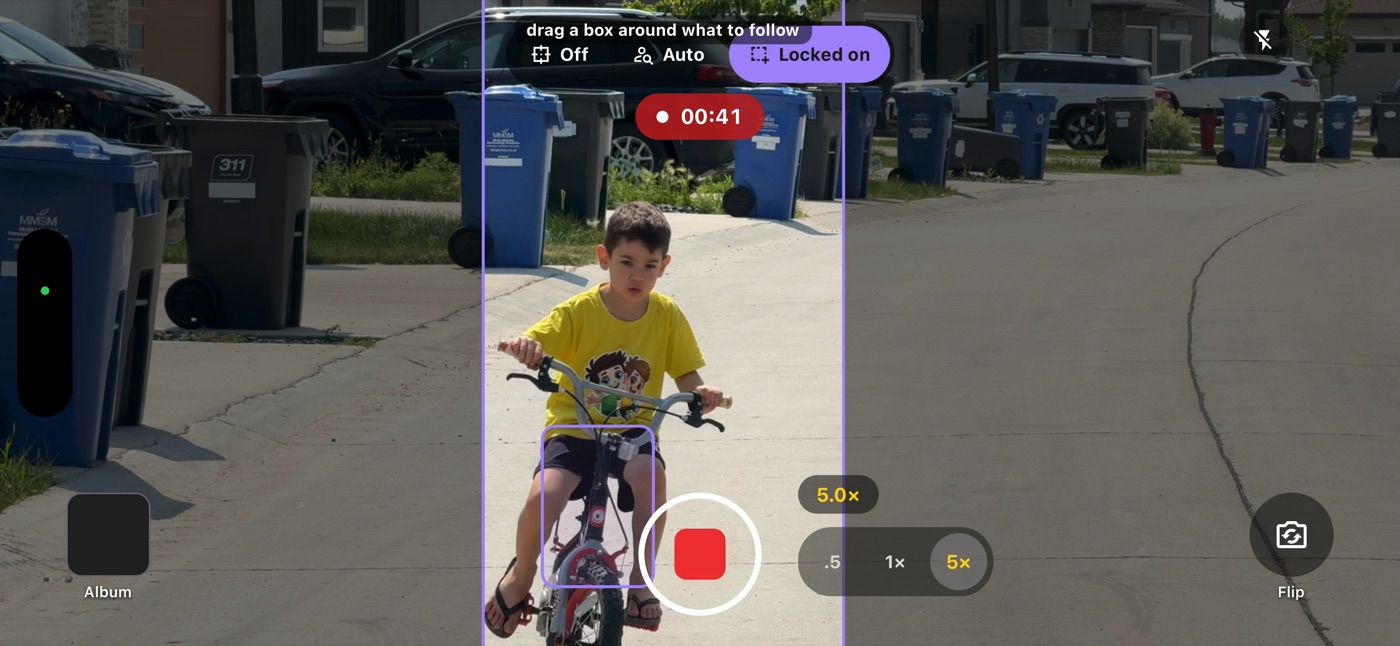
Film in landscape with a live 9:16 guide on screen. TKut saves the landscape master and a vertical cut — and the vertical frame tracks you as you move, so you stay centred without anyone standing behind the phone.
ONE RECORDING
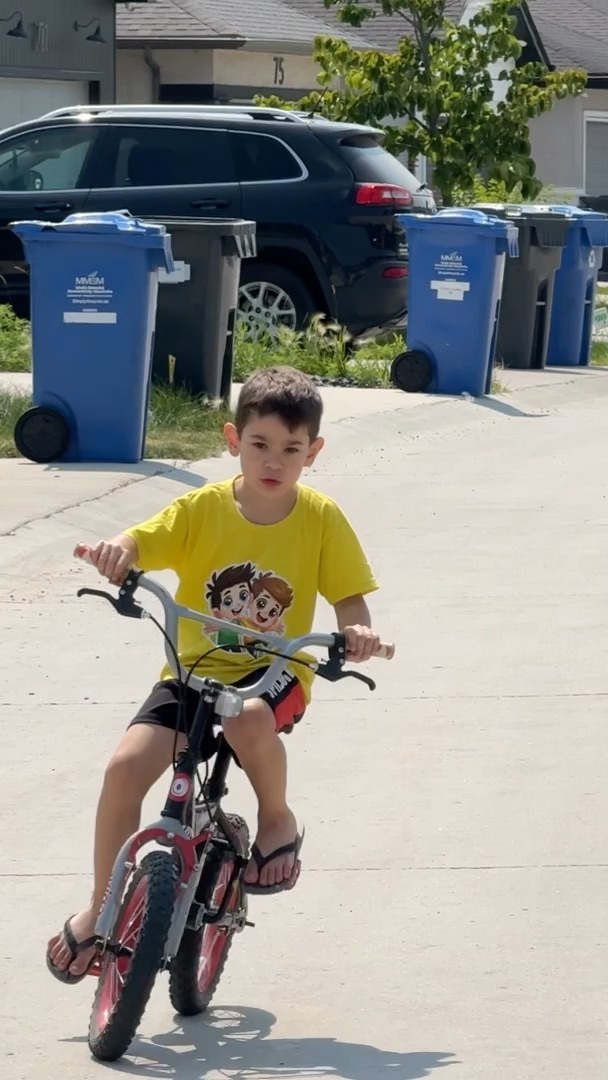
Recording in landscape with the live 9:16 guide and subject tracking
Reframe demo Tracking the rider, live
TWO FINISHED CUTS
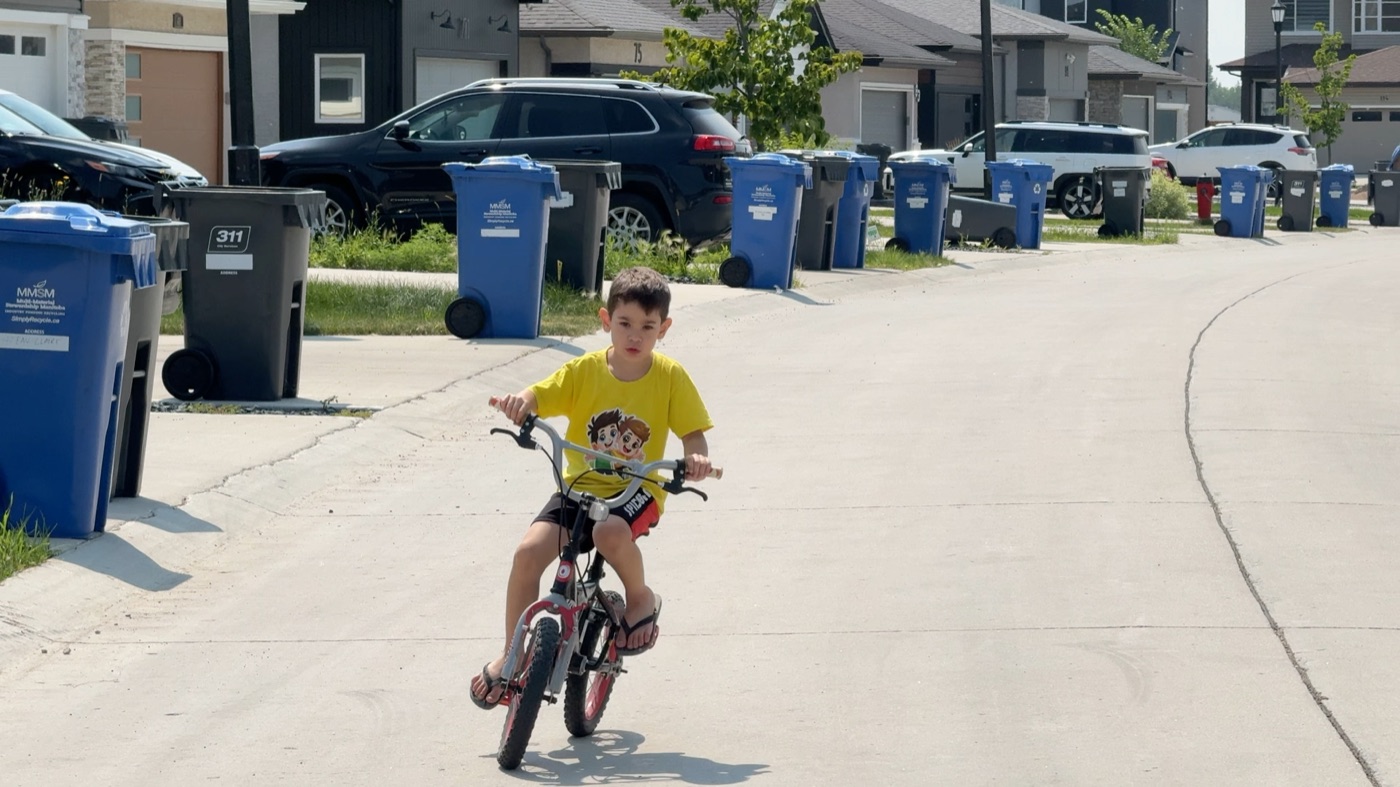
The landscape master, 16:9
Landscape master YouTube
The vertical cut, 9:16, subject centred
Vertical cut Reels · TikTok
Follow the subject

Walk around and the vertical frame follows you — on-device person tracking steers it. Tap anyone to switch subject mid-take.

Two files, one stop

1080p master gives 608×1080. 4K master gives a full 1080×1920. Edge to edge, no letterbox.

YouTube and Reels

The wide cut for YouTube, the vertical for Reels and TikTok. One recording, both feeds fed.

02 — DUAL CAPTURE

You, and what
you're seeing.

Both cameras roll at the same time, in one take — picture-in-picture or side-by-side split. Switch between your iPhone's optical lenses mid-recording, from 0.5× ultra-wide to 5× telephoto.
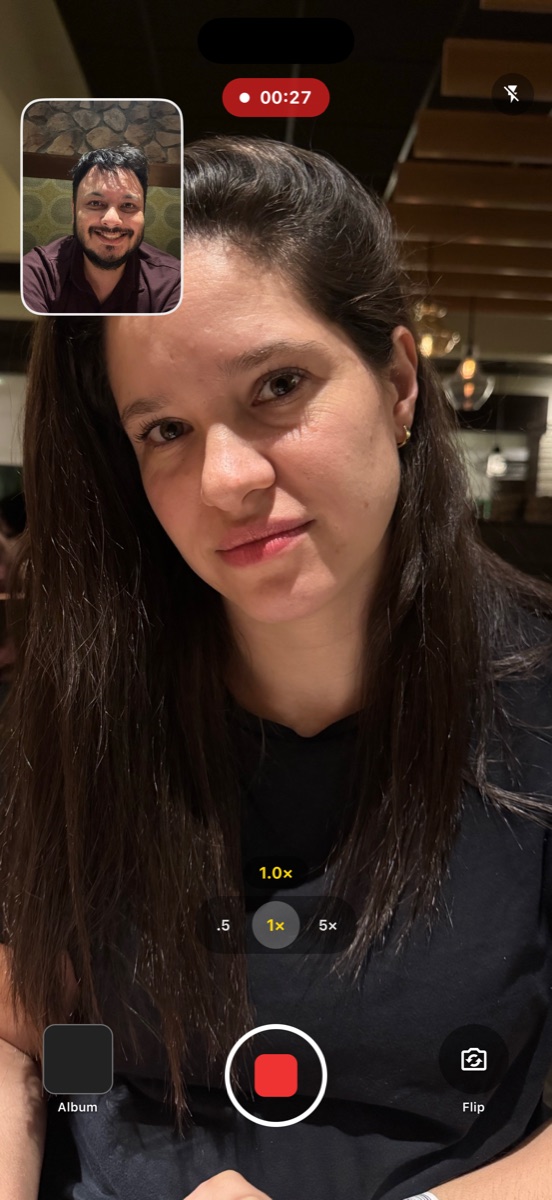
Drag, resize or swap the PiP mid-take
Combined video written frame by frame
Or keep every stream as a separate file
TKut dual camera recording screen
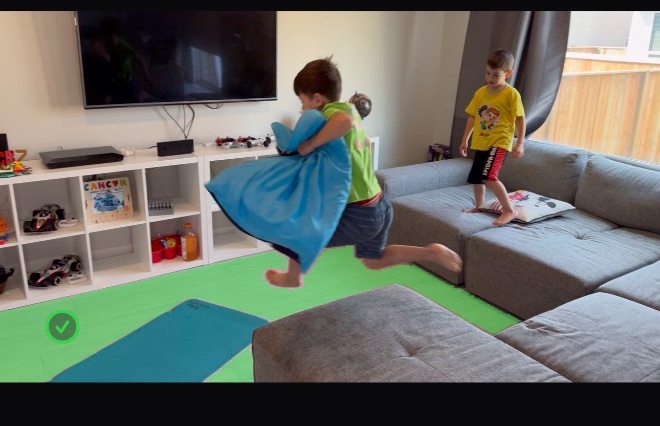
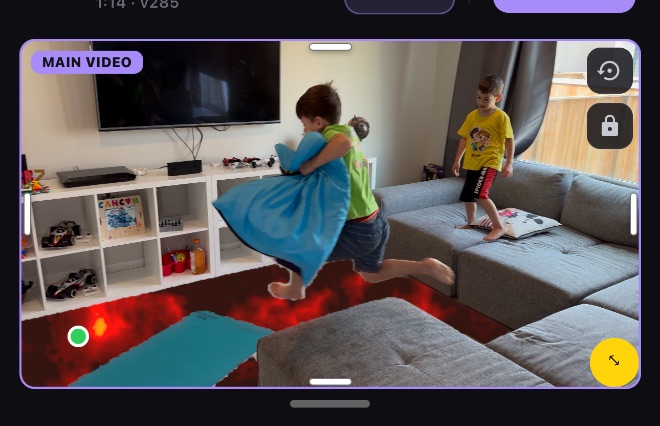
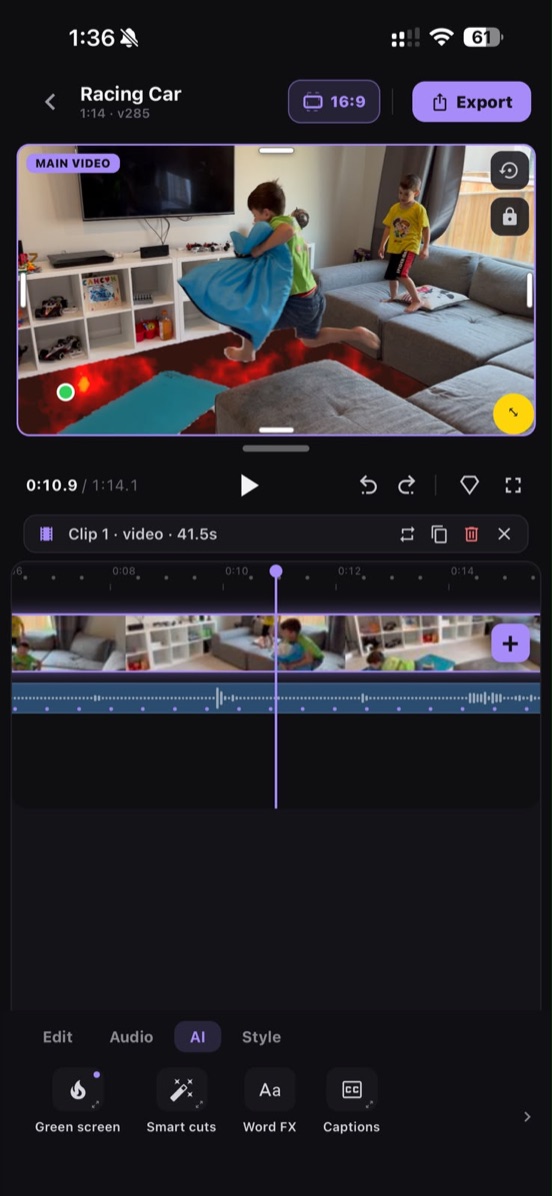
A floor replaced with lava by TKut's AI green screen
Recorded in TKut
03 — AI GREEN SCREEN

Turn your floor
into lava.

Tap a surface, pick what replaces it. The matte tracks the surface as the camera moves — no green cloth, no desktop round trip.

Tap to select Surface tracking Runs on device
HOW IT'S DONE — FOUR TAPS
  1. Tap the floor
    1 Tap the floor A few taps anywhere on the surface and it fills in — feet and legs stay untouched. Mark the rug with “Not this”.
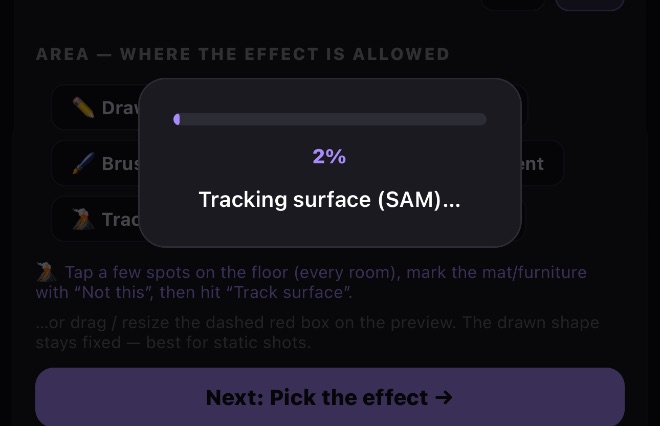
  2. Hit Track surface
    2 Hit “Track surface” It works out the whole floor from your taps and locks onto it, frame by frame. All on your phone — you watch the progress as it goes, and you can cancel any time.
  3. Pick what fills it
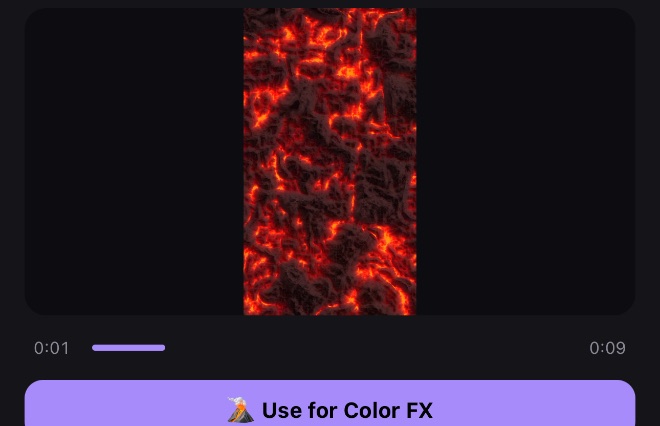
    3 Pick what fills it Lava, from the free stock library built into the app. Or drop in any clip of your own.
  4. It sticks as you move
    4 It sticks as you move The matte follows the floor for the rest of the shot — walk around, pan, keep filming. Export in 4K.
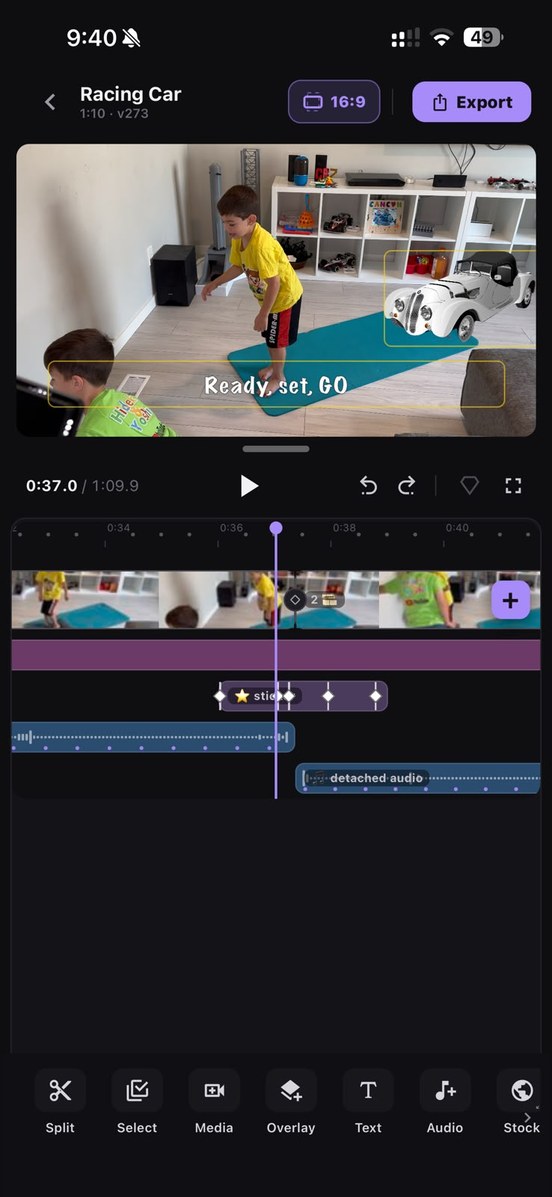
TKut timeline editor
04 — THE EDITOR

A real timeline.
Not a filter app.

Multi-track editing with keyframed motion, text, on-device captions, effects and 4K export — finished on the phone that shot it.
Keyframed motion
Auto-captions
Text & overlays
4K export
05 — TELEPROMPTER

Never lose
your lines.

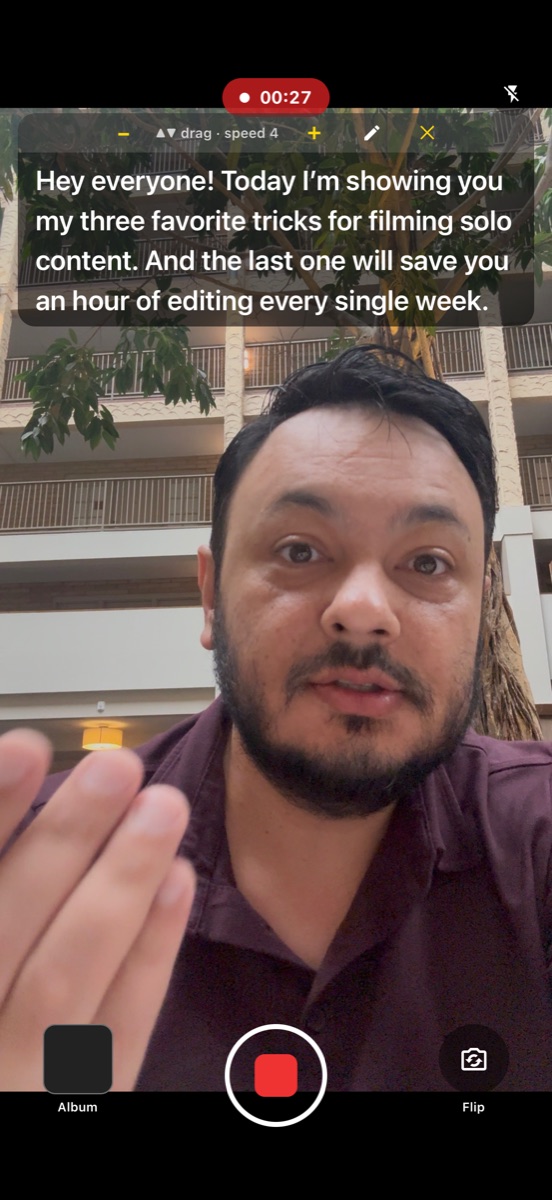
Your script scrolls over the viewfinder while you record, so you keep eye contact with the lens. Speed in words per minute, a reading line, a 3·2·1 lead-in and a saved script library.

TKut teleprompter over the viewfinder

Built like a tool,
priced like nothing.
4K
Export resolution
Up to 3840x2160, H.264 or HEVC, at the project's aspect ratio.
2
Cameras at once
A real multi-cam session - picture-in-picture or split, lenses switchable live.
3
Aspect ratios
9:16, 16:9 and 1:1. Switch the canvas and the export follows.
0
Watermarks and ads
Free. No account, no sign-up, nothing uploaded anywhere.
On device
Captions and AI
Transcription and matting run locally. Footage never leaves the phone.
Unlimited
Timeline layers
Video, images, text, overlays, captions and audio on their own tracks.
iOS 16.4
Minimum version
iPhone XS or newer. iPad supported, with a desktop-style layout.
0
Trackers
No analytics, no third-party SDKs, no telemetry of any kind.
TKut app icon

Get TKut

Free, with no watermark, no ads and no tracking. Editing runs on your device — no account, no upload.

Download on the App Store
iPhone XS or newer · iOS 16.4+ · 4K on supported devices